
This will open up the disk management utility for Windows 7.
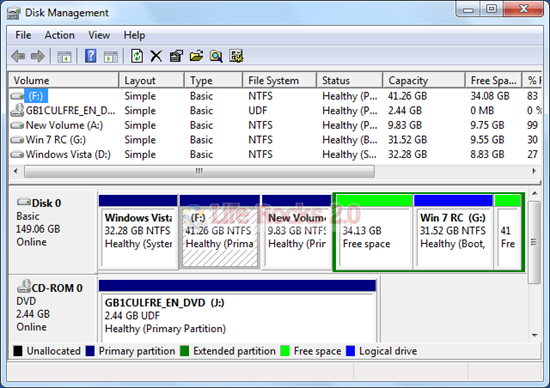
To shrink any volume, right click on the desired volume and select the option “Shrink Volume”. This will open up the Shrink Volume window and you need to specify the amount of space you want to shrink.

If you want to extend any volume in Windows 7, right click on the drive to be extended and select “Extend Volume”. In the next step you need to specify the amount of space by which you want to extend the volume.

Please note that extend volume for any drive will work only if there is continuous free space available on your hard disk.

No comments:
Post a Comment